Inventory with barcode
Inventory with barcode is a stock management application designed to automate the entry and exit of products in your inventory. With its high-performance barcode reader, you can easily retrieve products and update quantities using your iPhone. This application is perfect for conducting physical inventories in various settings such as stores, restaurants, shops, and more.
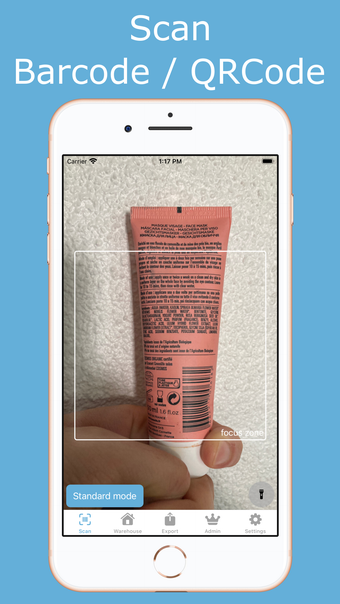
One of the main features of Inventory with barcode is the scan screen, which allows you to detect new products by scanning their barcodes. You can retrieve product quantities or add them to your warehouse, and switch between check-in and check-out modes.
The warehouse screen in the app allows you to manage your products effectively. You can edit your list of product types, including their quantity, name, photo, and public price. Additionally, you can create new product types by filling in their barcodes.
The export screen provides multiple options for exporting your data, including formats such as xlsx (Excel), pdf, txt, csv, json, html, and sqlite. You can also export your product photos as a zip file.
The admin screen in Inventory with barcode offers various functionalities, such as creating, editing, and renaming inventories, setting the working inventory, importing inventories from CSV files, cloning inventories, and managing suppliers.
To optimize barcode detection, the app allows you to customize the scan filter in the settings. It supports a wide range of barcode types, including Codabar, Code 39, Code 93, Code 128, EAN-8, EAN-13, ITF, UPC-A, UPC-E, Aztec, Data Matrix, PDF417, and QR Code.
Overall, Inventory with barcode provides a comprehensive solution for stock management and inventory tracking, making it an ideal choice for businesses in various industries.